Capture Bridge (easy capture card share)
nnaqsoft · Coming soon
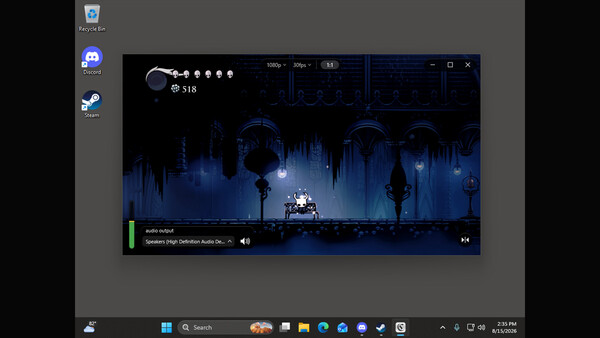
Capture Bridge gets a USB capture card into a minimal window for you to screen share, or just play in a low-latency window on your computer.
About Capture Bridge (easy capture card share)
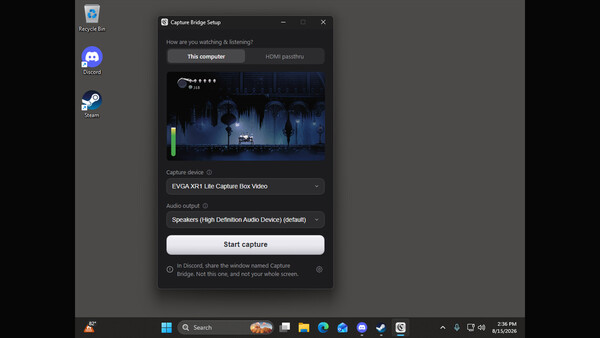
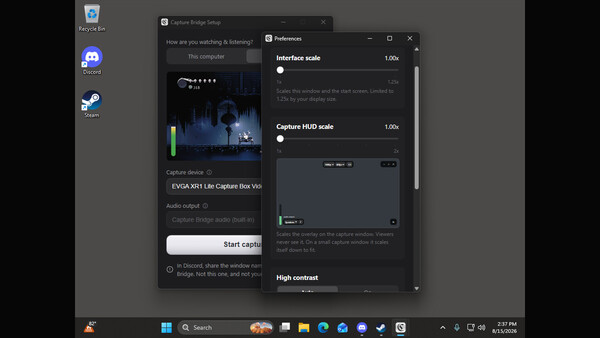
Capture Bridge puts your USB capture card in a minimal, low-latency window that you can screen-share or use to play directly on your computer. Select your capture card, start the preview, and share the window. Capture Bridge handles the audio routing, avoiding the doubled or missing game audio common with manual capture setups. In This computer mode, you hear the game through your computer while your viewers hear it too. In HDMI passthru mode, you listen through your TV or monitor while Capture Bridge keeps its local output silent and still sends the audio to your viewers. WHY IT EXISTS Sharing a console or capture card with friends is harder than it should be. The usual process involves OBS, a virtual audio cable, manual monitoring, and screen-sharing the OBS window. Even then, the audio can end up doubled or missing. Capture Bridge replaces that setup with a couple of clicks. FEATURES • A direct path from your capture card to Discord, with clean audio • A low-latency window for playing or watching without Discord • Built-in audio routing with guided first-run setup • Native and lightweight, with no scene graph or unnecessary complexity • Live resolution and frame rate controls •
Screenshots