Memnon: Give Your Games a Voice
Memnon Software LLC · Coming soon
Memnon reads your game's dialogue out loud while you play. It reads the name plate too, so it knows who is talking and speaks each line in that character's chosen voice. No key to press. The built-in voices run on your PC with the internet off. One purchase, and no account creation needed.
About Memnon: Give Your Games a Voice
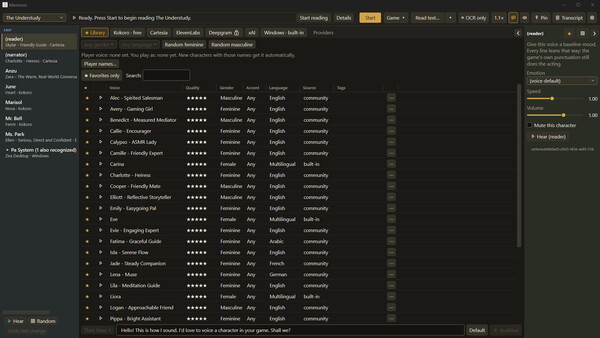
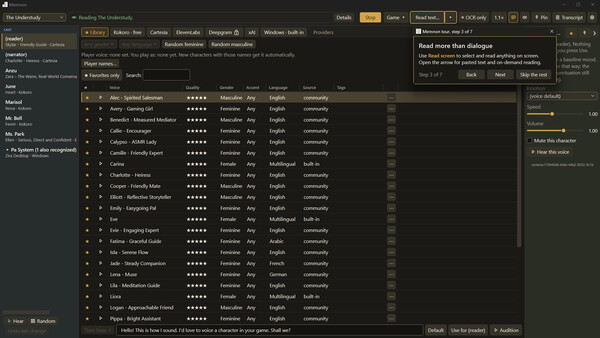
Memnon sits next to your game and just reads the dialogue out loud. It picks up nameplates and automatically uses the voice you assigned to each character. No key press needed. A long visual novel can have more words than the entire Lord of the Rings trilogy, and none of them are spoken. Until now. How it works Draw three boxes once. One around the dialogue text, one around the speaker’s name, and one around the dialogue box itself. The setup wizard walks you through it and takes about a minute. Give your characters voices. Every new name Memnon sees gets added to the cast list. A small popup lets you pick a voice without interrupting the game much. Play. Memnon keeps watching the screen. Lines get spoken as they appear, in the right voice, without you doing anything else. The dialogue-box guard stops it from reading random junk. If you ever want a specific line on demand, there’s a hotkey. You can also snip any other part of the screen and hear it. There is also a Read text window: paste or type anything at all, and it plays in the reader voice. Script Sync If you can get the game’s script as a file, Script Sync pushes accuracy the rest of the way. Import it once. Whenever the scr
Screenshots